Shared to-do for iPhone
Your team sends you tasks. You get them done.
Tick AI is a shared to-do list for families, couples and small teams. Send a task to someone and it lands in their Inbox with a notification, sorted by urgency — so what matters most is always on top.

Coming soon to the App Store.
- Free
- No ads, no trackers
- Home Screen widget
How it works
Send it. It lands. You see it done.
No chat thread to scroll back through, no email to forget. A task you send stays in the other person's Inbox until it's finished — and shows you when it is.
-
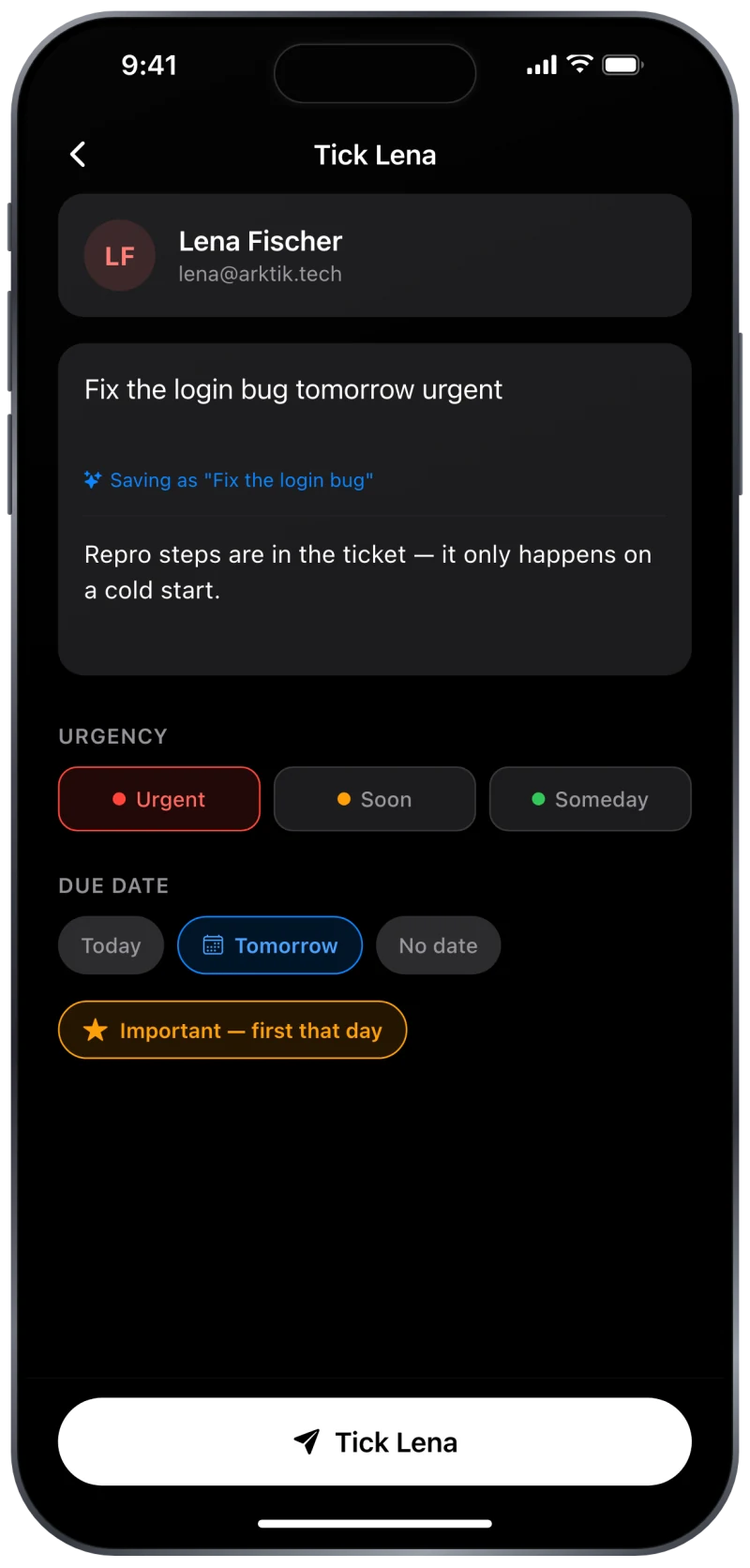
Send a task to someone
Write what you need, set the urgency and the date, and tick anyone on your team. Teammates connect by email invite, so only people you've accepted can send you anything.
-
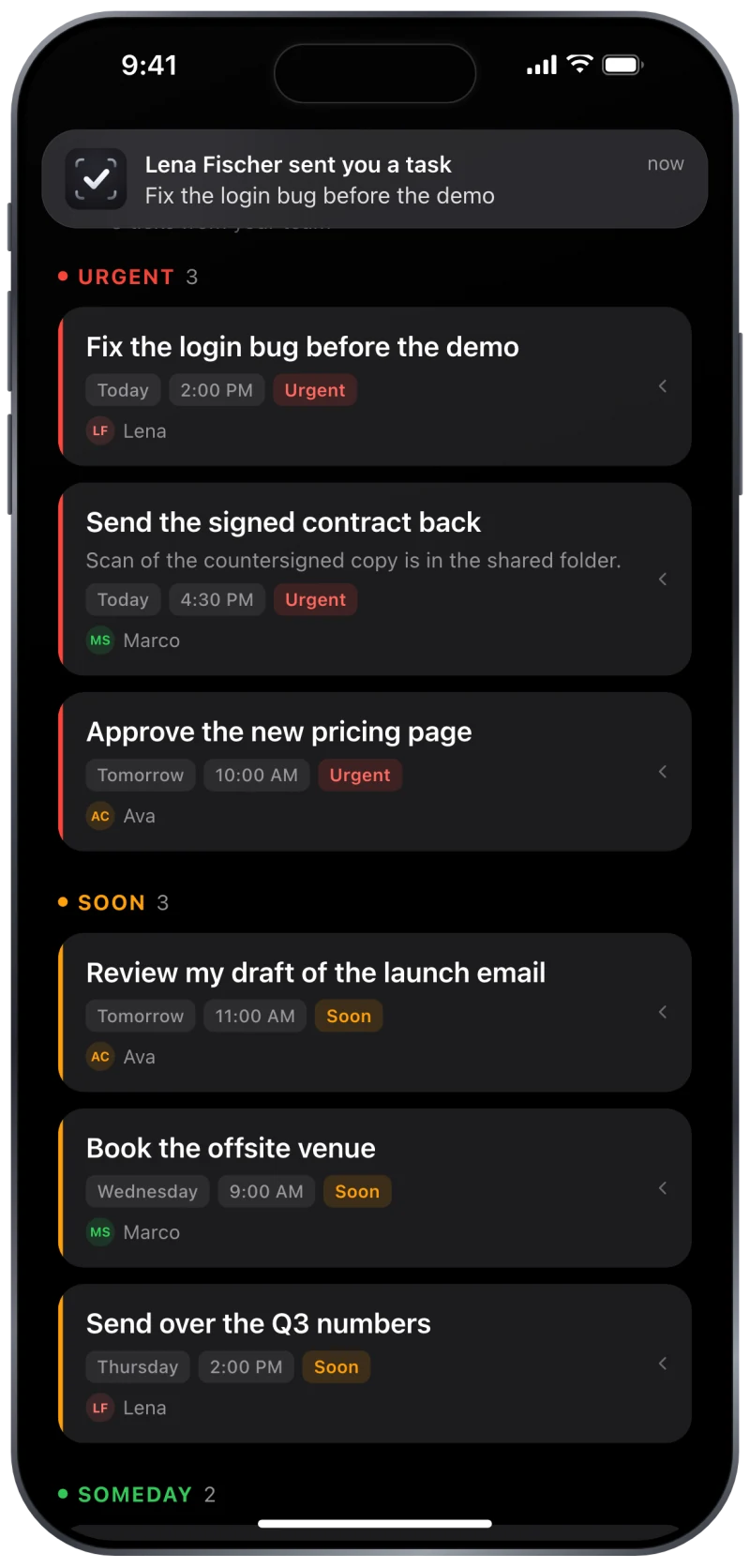
It lands in their Inbox
They get a notification the moment it arrives. The task keeps its date and urgency and sits in their Inbox, grouped with everything else the team has sent, until it's done.
-
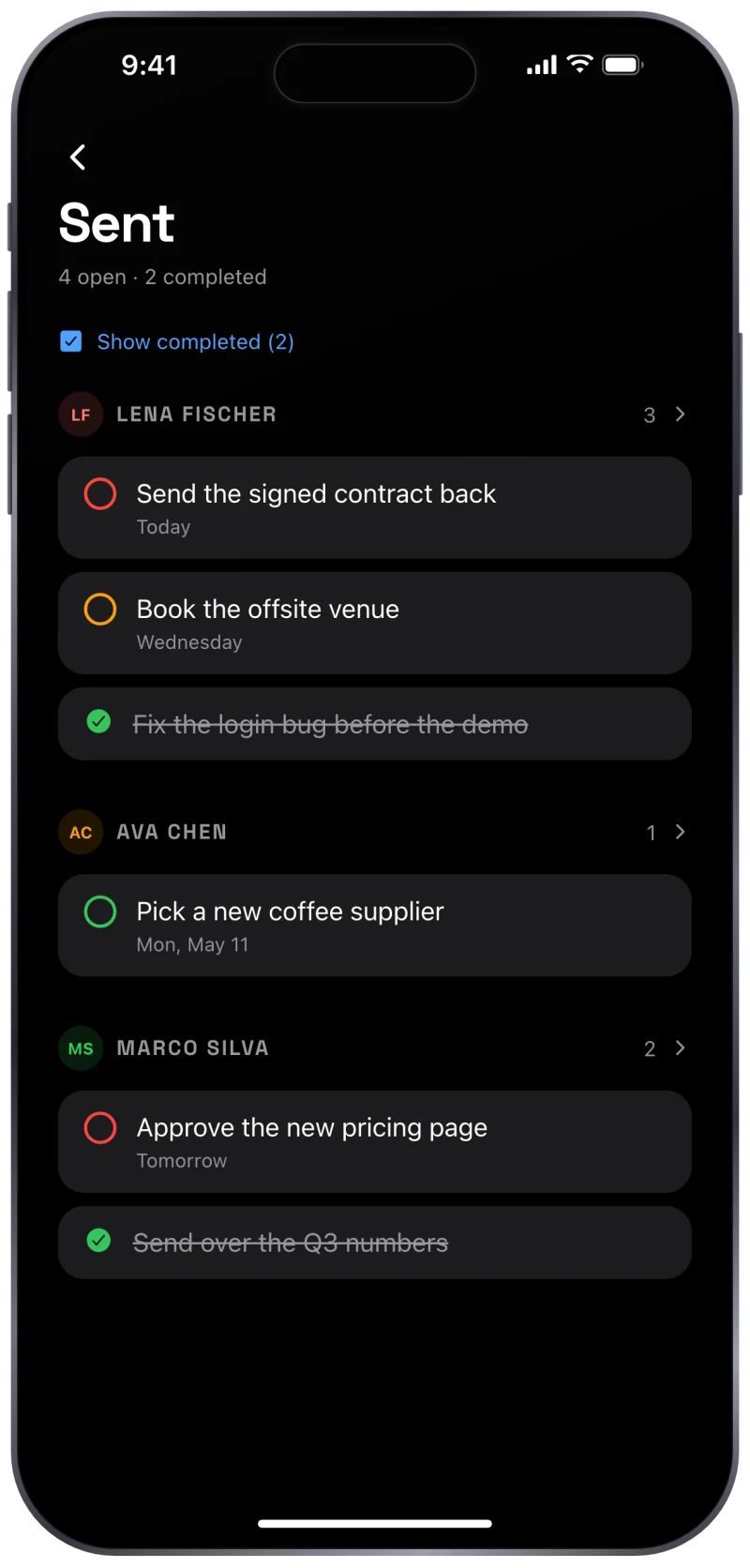
You see it get done
Sent lists every task you've handed out, grouped by person, and ticks each one the moment they finish it. You never have to ask "did you do that?" again.
Create with AI
Say it once. Get tasks back.
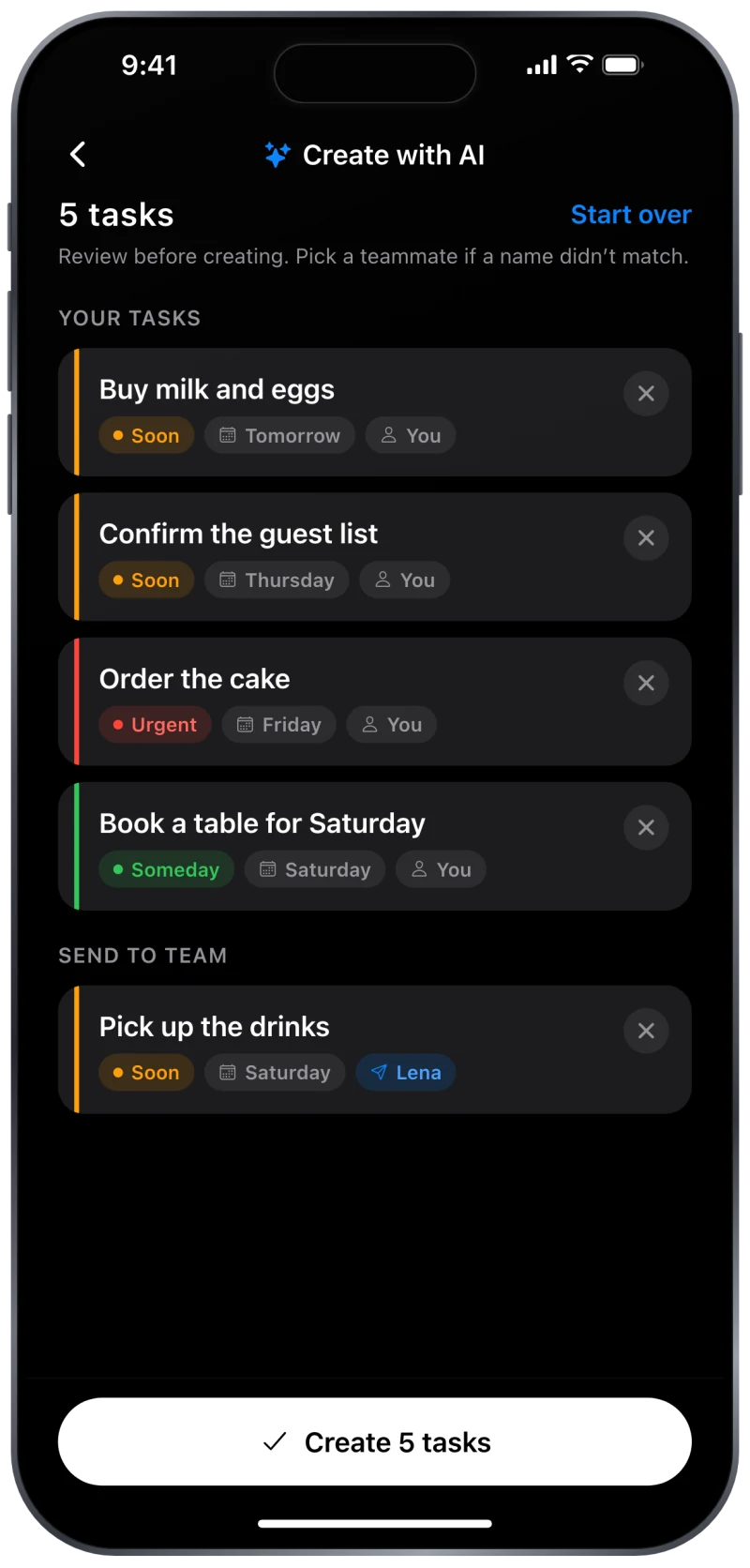
Describe your week in plain words. Tick AI turns it into real tasks — each with a date, an urgency and the right person — and shows you the whole list before anything is created.
You type “Weekend prep: buy milk and eggs tomorrow, confirm the guest list by Thursday, order the cake by Friday, book a table for Saturday, and ask Lena to pick up the drinks”
It only proposes. Nothing is saved, and nothing is sent to a teammate, until you review the list and tap Create. The AI sees the sentence you type and your teammates' first names — never your email, your account or your existing tasks.
Sorted by urgency
Urgent, Soon, Someday.
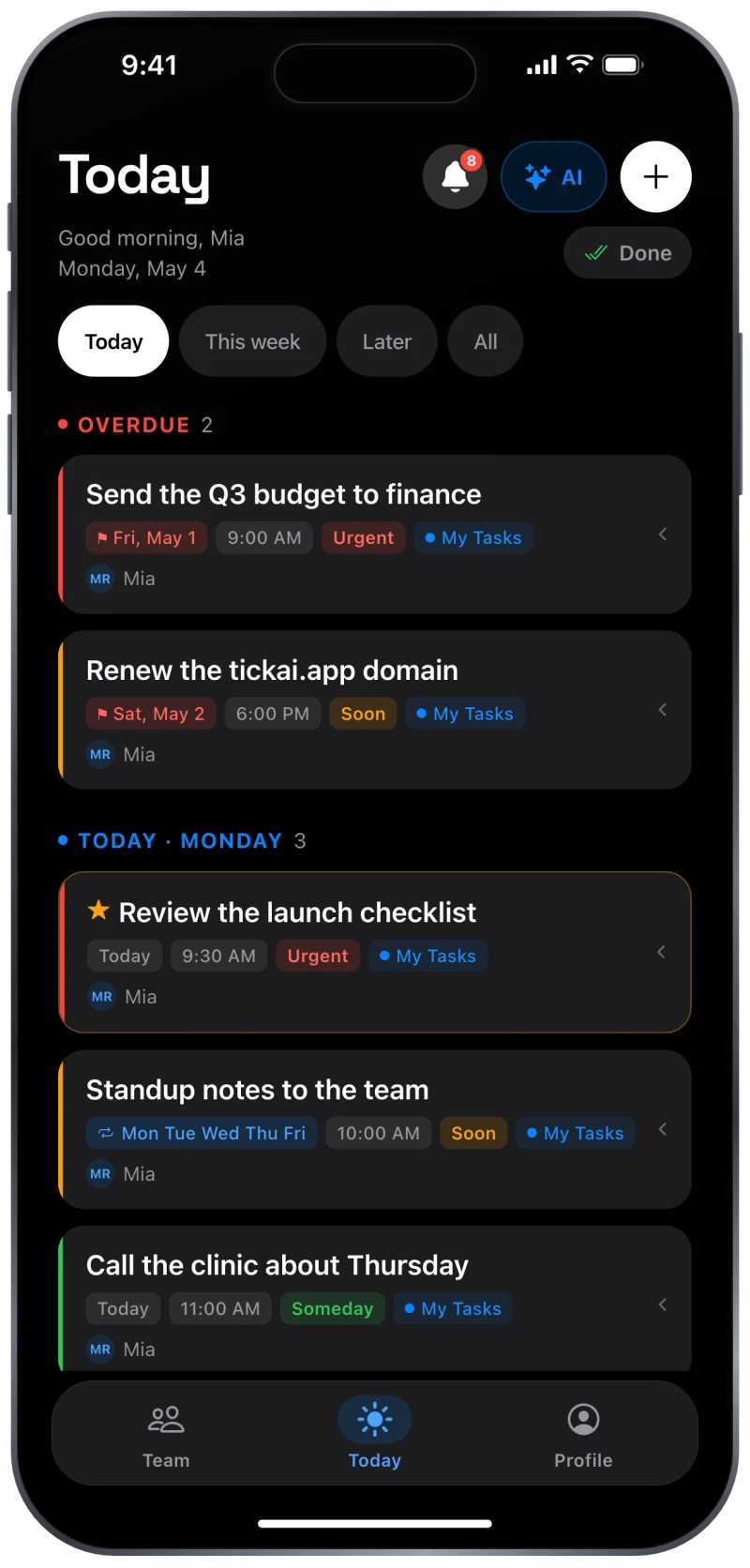
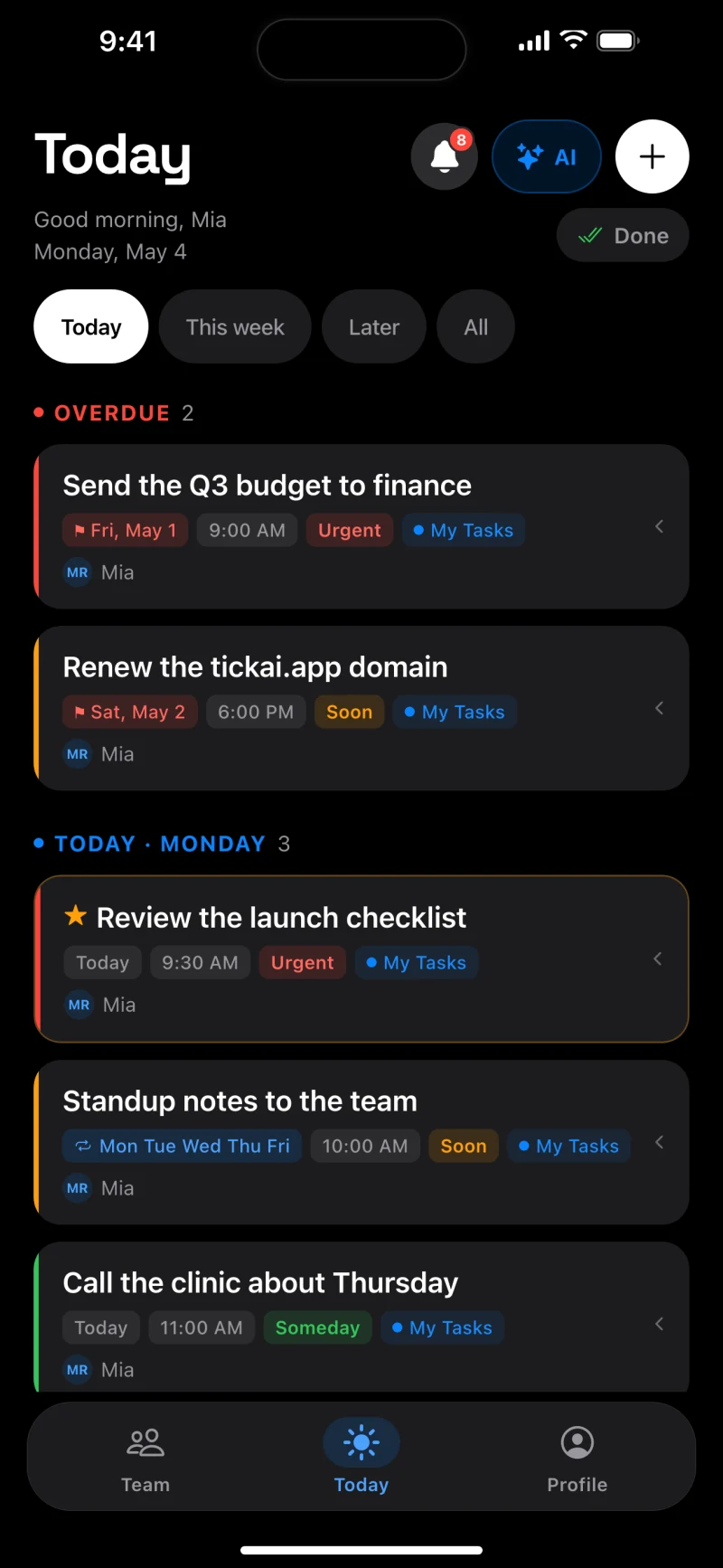
Every task gets one of three urgencies. Overdue work comes first, then today's, and inside each group the urgent ones sit on top — so opening the app tells you what to do next, not just what exists.
- Urgent
- Soon
- Someday
- Today, This week, Later and All — one tap to change the view
- Star a task to pin it first that day
- Swipe to finish; a Done screen keeps what you've completed
Reminders that repeat
Set a time. Make it weekly.
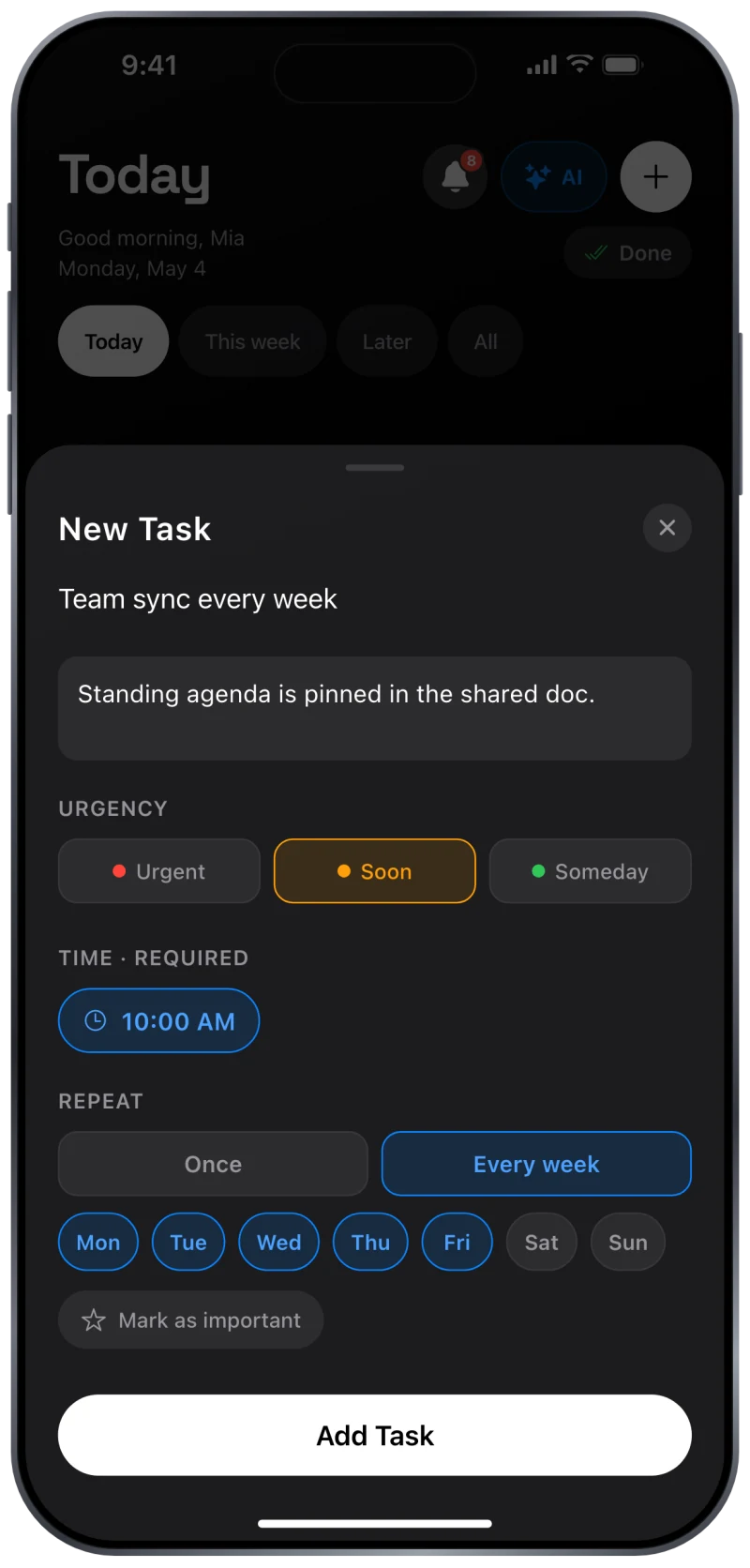
Every task has a time, so a reminder is a real reminder. Turn one into a weekly routine on the days you choose — standup notes, bin day, the Friday report — and it comes back on its own.
- Add a note for the details that don't fit in a title
- Type “tomorrow 3pm” and the date and time fill themselves in
- Notifications are optional; everything works without them
Home Screen widget
Your next tasks, without opening the app.
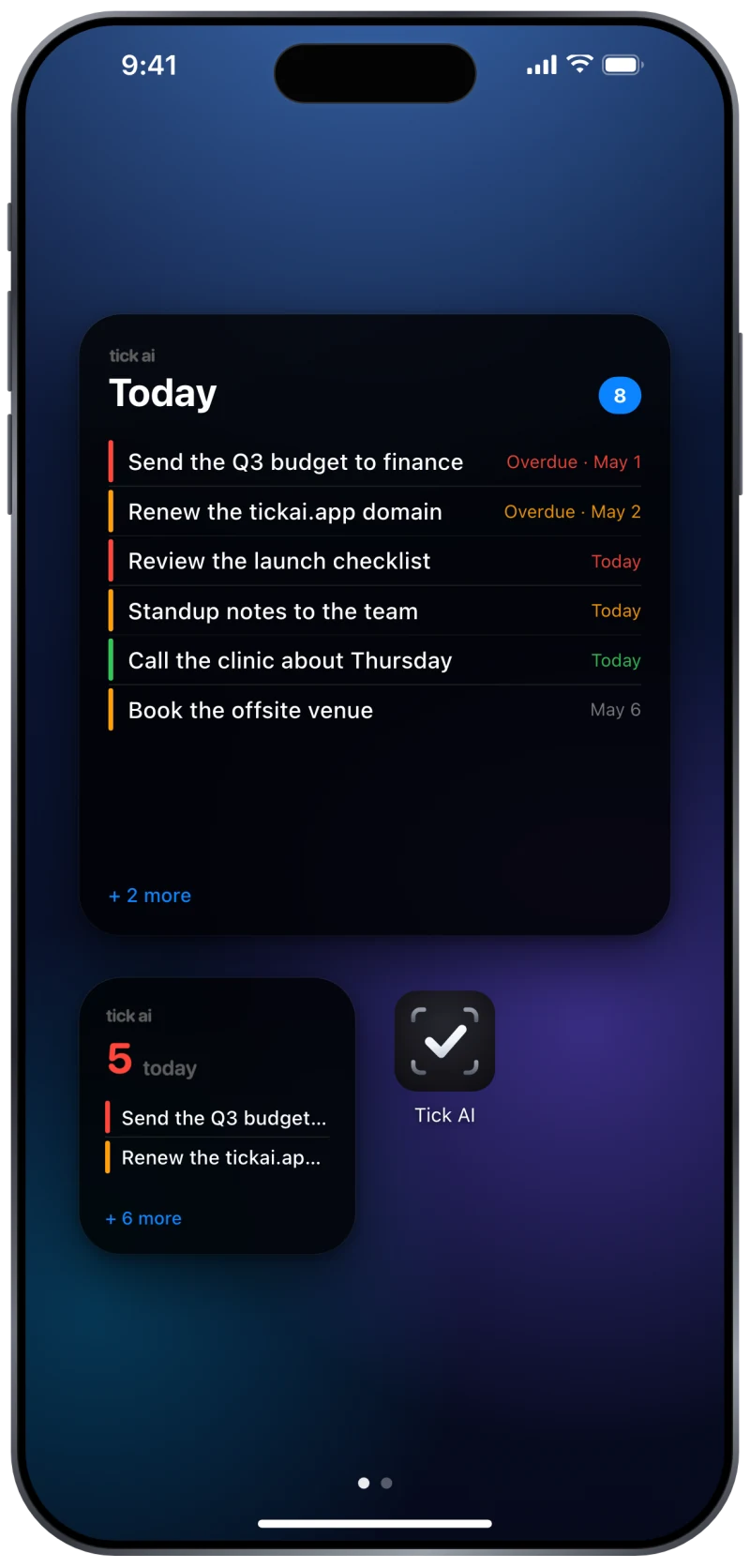
The widget shows today's count and what's coming next, colour-coded by urgency. A glance at the Home Screen is enough to know whether you're on track.
- Large and small sizes
- Overdue tasks flagged in red so nothing slips
- Updates on its own as tasks arrive and get done
Private by design
Your tasks are yours.
There is no feed, no discovery and no way for a stranger to reach you. Only people you've connected with can send you a task, and you're in control of your account.
-
Sign in your way
Sign in with Apple, with Google, or with an email address and password. Hide your email with Apple if you prefer.
-
No ads, no trackers
We don't sell your data and we don't run advertising or analytics trackers. Crash reports are the only diagnostics we collect.
-
Block or report anyone
Every task you receive has a Report action, and any profile can be blocked. Reports are acted on within 24 hours.
-
Delete it all, in the app
Profile → Delete account removes your login and every task, list and connection — including tasks you sent to others.
The full details are in the Privacy Policy.
Questions
Before you download
Is Tick AI free?
Yes. It's free to download and free to use, with no in-app purchases and no subscription.
Does the person I send a task to need the app?
Yes. Tasks move between accounts, so whoever you send to needs one. Invite them by email from the Team tab; once they accept, you can send tasks either way.
What does the AI actually see?
The sentence you type, and the first names of any teammates you mention. That goes to Google's Gemini API. Your email address, your account and your existing tasks are never sent. The Privacy Policy sets this out in full, and the app asks for your permission before the first request.
Can the AI create or send anything on its own?
No. It only proposes. You review every suggestion — title, date, urgency and who it goes to — and nothing is saved or sent until you tap Create.
Can I use Tick AI on my own?
Yes. It works as a personal to-do list with reminders, urgency and a Home Screen widget, and you can invite people later if you ever want to share the load.
Is it good for families, couples or roommates?
That's who it was built for. Chores, shopping, bills, school runs — anything one person needs another to actually do. Everyone sees what they've been sent and what they've sent, so nothing depends on remembering a conversation.
How do reminders work?
Every task has a time, and you get a notification at that time. You also get one the moment someone sends you a task. Notifications are optional; the app is fully usable without them.
Can I delete my account and everything in it?
Yes, in the app: Profile → Delete account. That removes your login and your data, including tasks you sent into other people's inboxes, and it can't be undone. If you can't open the app, email us from the address on your account.
Which platforms?
iPhone, on iOS 16.4 or later, with a Home Screen widget.
Get Tick AI
Free on the App Store, for iPhone on iOS 16.4 or later.
Coming soon to the App Store, free. Leave your address and we'll tell you the day it's out.
Questions? Support · contact@arktik.tech